
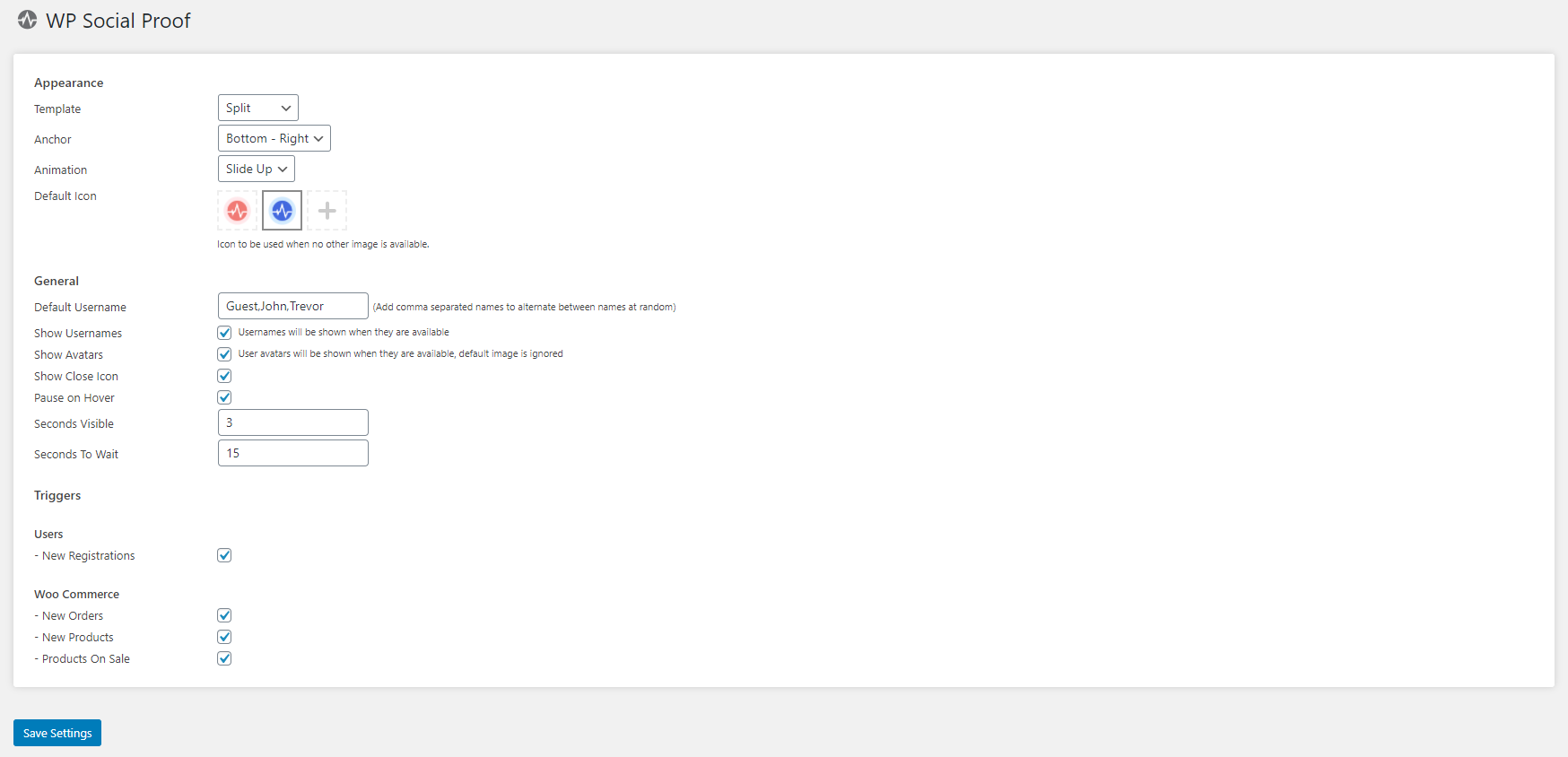
Appearance
- Template
- Select the overall look and feel of notifications on your site. Options: Standard, Rounded Pro, Split Pro
- Anchor
- Control the placement of notifications. Options: Top Left, Top Right, Bottom Left, Bottom Right
- Animation
- Set the entry animation for notifications. Options: Fade, Slide Up, Disabled
- Default Icon
- Select a default icon for when no product image or user avatar is available. The Pro add-on allows uploading a custom image.
- Show Powered By Link (Basic only)
- Optionally display a small "Powered by WP Social Proof" link below notifications.
General
- Default Username
- Set predefined usernames used when real usernames are unavailable. Separate multiple values with commas to randomise with each notification.
- Show Usernames Pro
- Display real usernames for new registrations and WooCommerce orders.
- Show Avatars Pro
- Display user avatars alongside notifications for registrations and orders.
- Show Close Icon Pro
- Allow users to dismiss individual notifications by clicking a close (×) icon.
- Pause on Hover Pro
- Pause the notification queue when a user hovers over a notification, giving them time to interact with links.
- Seconds Visible Pro
- Control how long a notification remains on screen before being hidden.
- Seconds to Wait Pro
- Control how long the system waits before displaying the next notification.
Triggers
Triggers control which events are tracked by WP Social Proof. WooCommerce triggers only appear once WooCommerce has been installed and activated on your site.
Users
- New Registrations
- Show recent user registrations to visitors on the front end. Upgrade to Pro to display usernames and avatars, or use the default icon and username fallback options.
WooCommerce
- New Orders
- Display recent WooCommerce orders, including a product link for items currently in stock. Notifications are skipped if no products in the order are in stock.
- New Products
- Showcase your latest products, including a link and the product's main image where available.
- Products on Sale Pro
- Highlight active promotions on your website, including a product link, the discount applied, and the current price.