Live chat and Calls for WordPress.
No third-party servers, no monthly fees, no accounts to create.
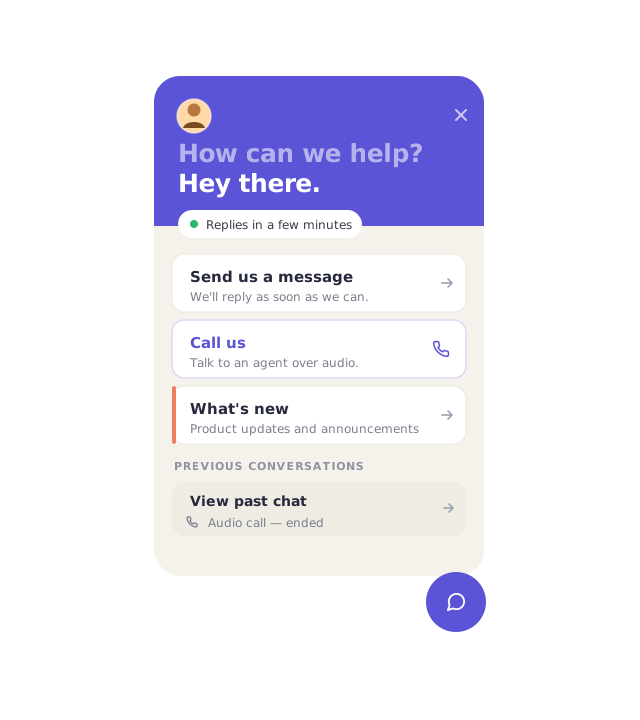
Everything you need to turn casual chat into a real customers.
Initiate chats with visitors
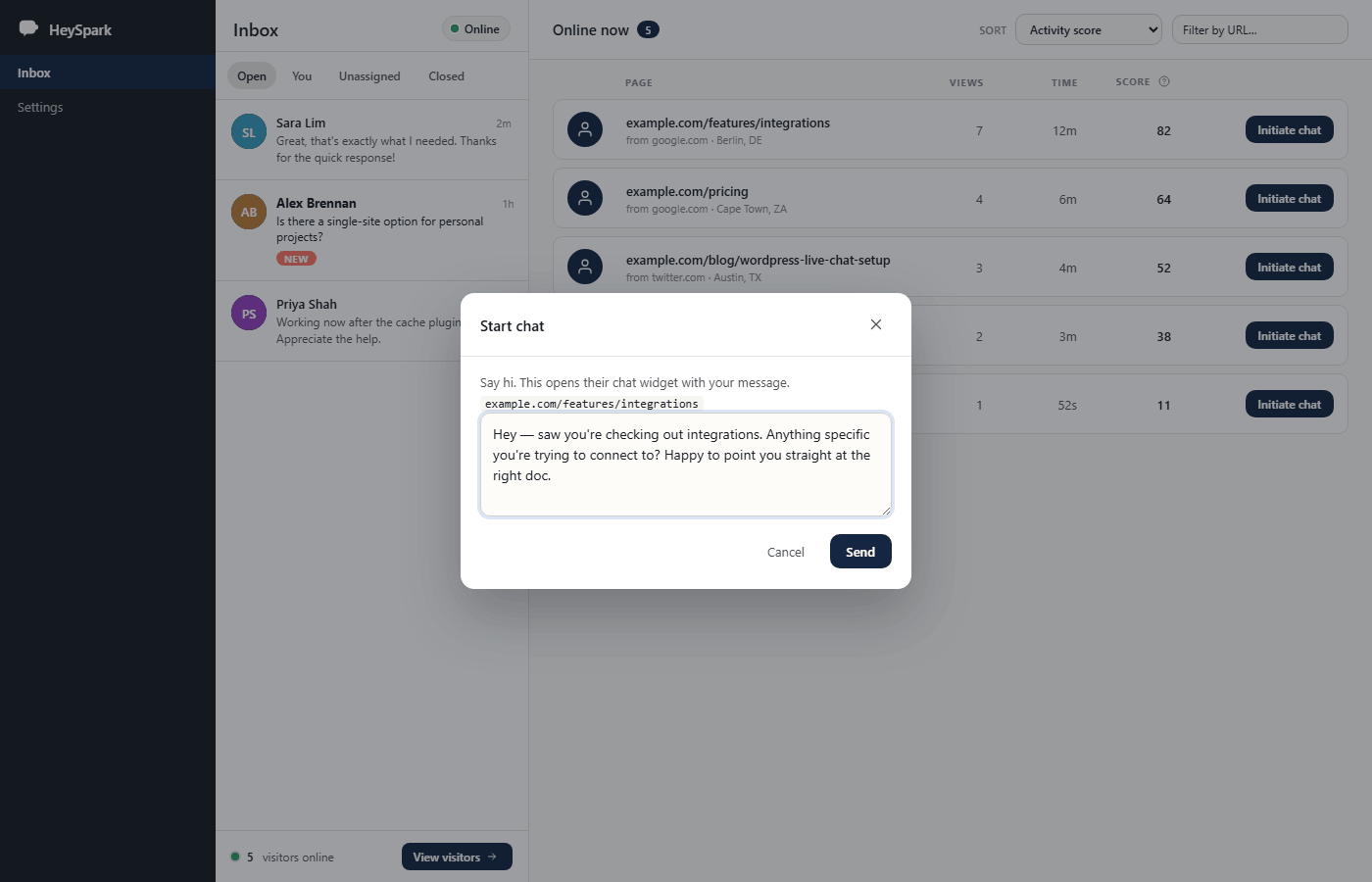
See who's browsing in real time. Reach out before they leave. Your message appears instantly in their widget.
Multiple agents
Give any WordPress role access to the inbox. Each agent gets an initials avatar. Chats auto-assign to whoever replies first.
Quick responses
Save canned replies for common questions. Type / in the composer to fire one. Autocomplete finds it in seconds.
Customer ratings (CSAT)
Ask visitors to rate the chat when it ends. A star score plus an optional comment. Everything is stored on your own server.
Business hours & URL rules
Set a weekly schedule with timezone support. The widget goes offline outside work hours. URL rules like !/checkout/* show or hide it per page.
Custom branding
Swap the HeySpark wordmark for your own logo. Add custom CSS inside the widget's Shadow DOM. Use :host to match your brand colours.
Initiate chats with visitors.
Instead of waiting for someone to type first, you can see every active session on your site and initiate the conversation yourself. Click Start chat, write your opening line, and it appears in the visitor's widget instantly - no refresh, no delay.
- Live visitor feed showing current page and time on site
- One-click to send an opening message to any online visitor
- Initiated conversations land in your inbox like any other chat
Unlimited Agents
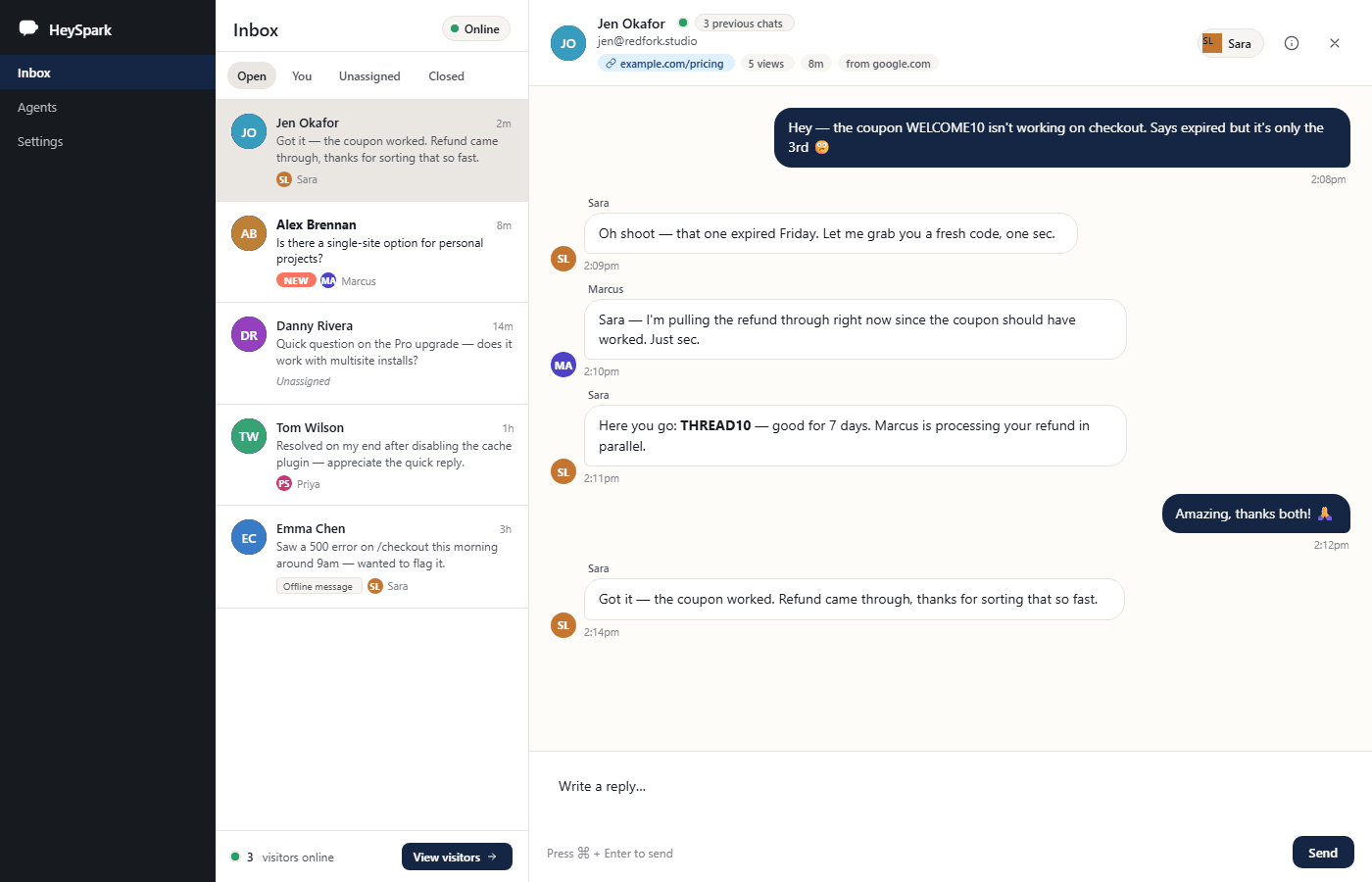
Pro unlocks the inbox for any WordPress role. Give a support team member full chat access without handing them the keys to the rest of your site. Conversations auto-assign to whoever replies first, and every agent gets their own initials avatar so visitors always know who they're talking to.
- Grant access to Editors, custom roles, or any WP user role
- Each agent has a status indicator - online or away
- Conversations auto-assign to the first person who replies
- Agents page in wp-admin shows every active team member at a glance
Quick Responses
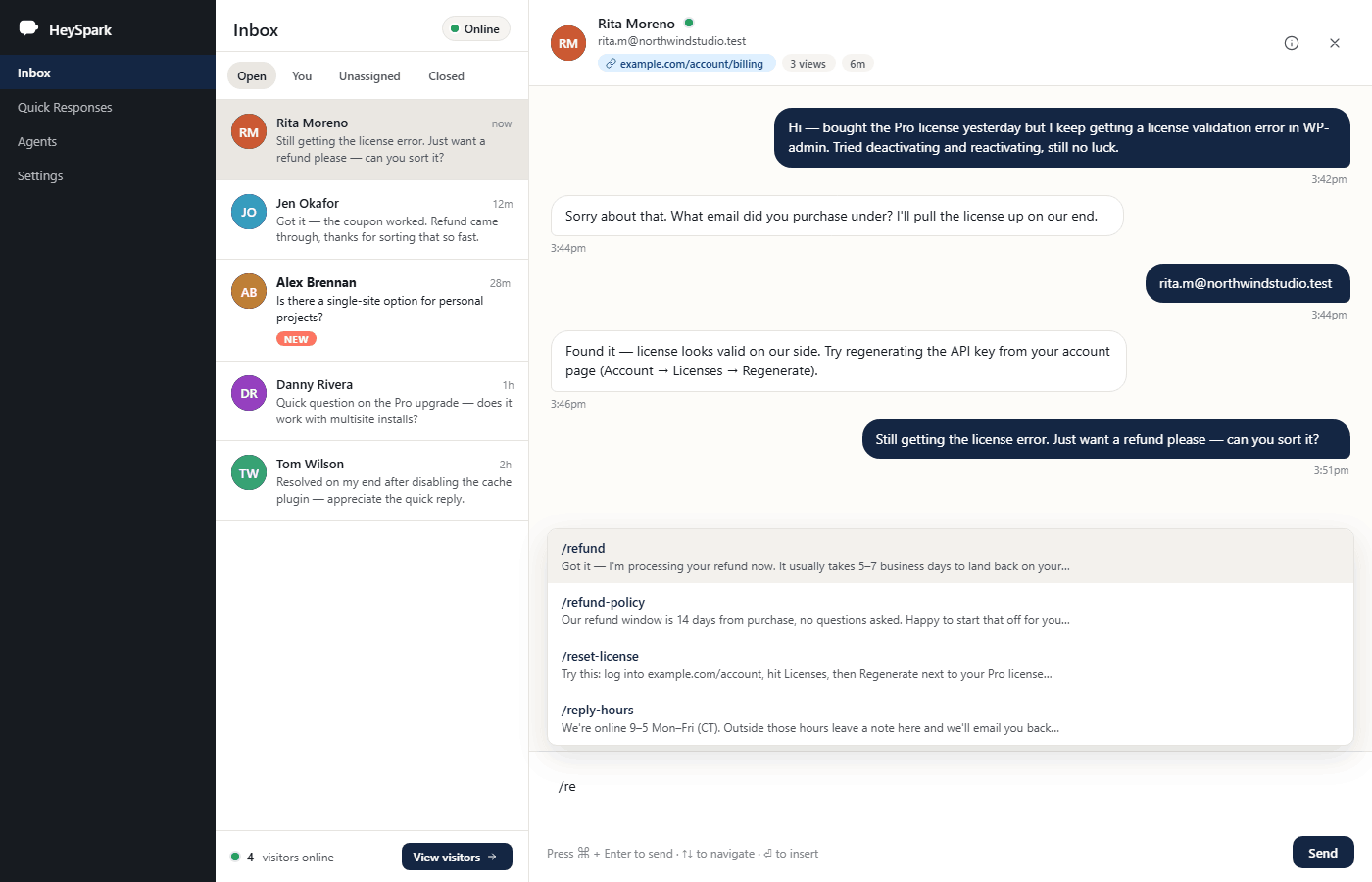
Build a library of canned replies for the questions you answer every day. In the reply composer, type / followed by a few letters and a live autocomplete menu narrows the list instantly - press Enter and the full response fills the composer, ready to send.
- Type
/to trigger the quick-response menu - Autocomplete narrows results as you type - pick with arrow keys or click
- Manage your full library from the dedicated Quick Responses screen in wp-admin
- Supports up to 100 saved replies, sorted alphabetically
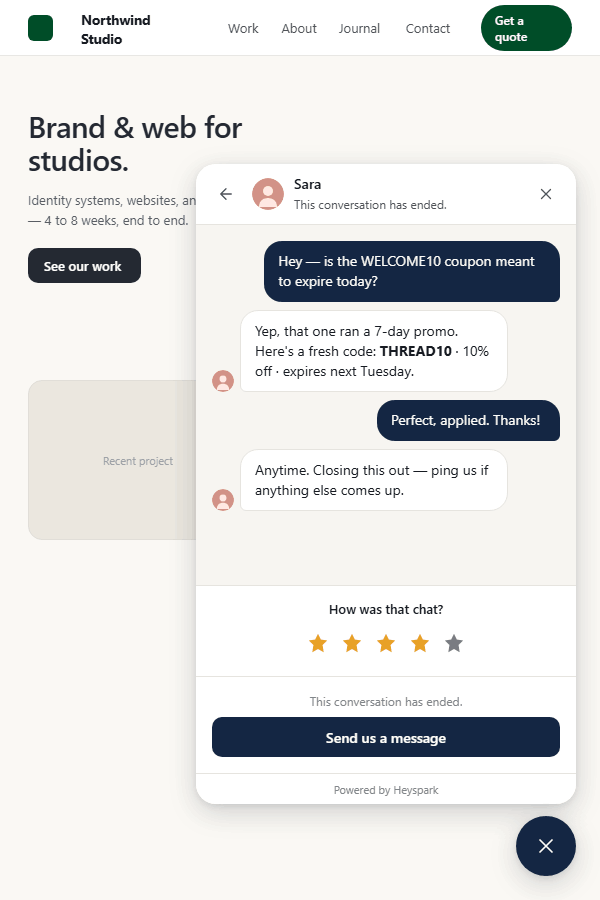
Chat Ratings
When a chat ends, visitors see a short rating prompt right inside the widget. A star score and an optional comment - nothing more. Every response is stored in your own WordPress database. No third-party dashboard, no data leaving your server, no monthly analytics fee.
- Configurable prompt text ("How was that chat?" by default)
- 1–5 star rating plus an optional free-text comment
- All ratings stored locally - query them directly or export
- Enable or disable from the Appearance tab in HeySpark settings
Business Hours
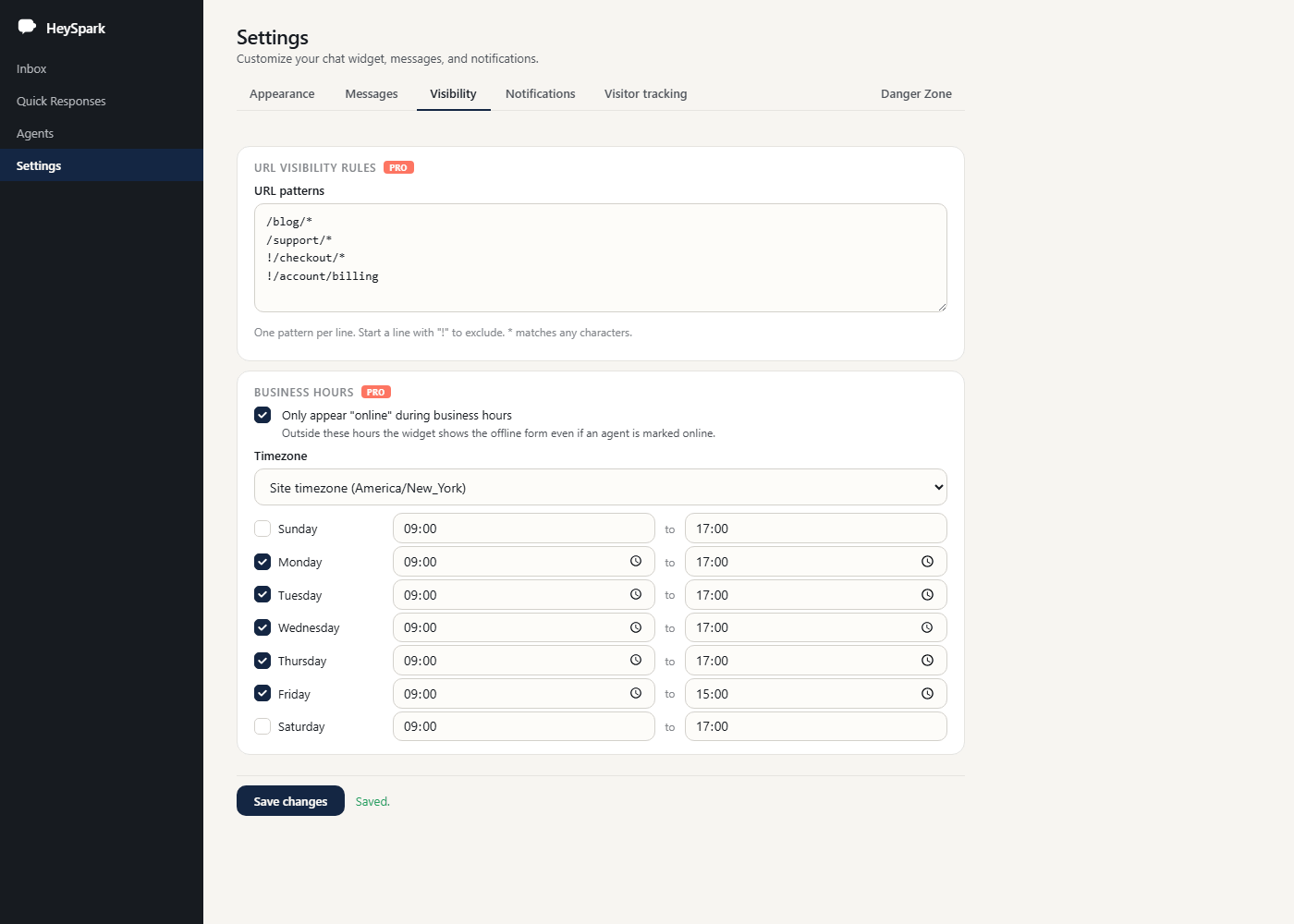
Two independent controls let you put the widget exactly where you want it. Business hours automatically switches the widget to offline mode outside your set schedule - so visitors see the contact form after hours, not an empty chat. URL rules let you include or exclude any page using simple wildcard patterns.
- Per-day schedule with start and end times, Monday–Sunday
- Full timezone selector - uses your site timezone by default
- URL include patterns: show the widget only on
/support/* - URL exclude patterns: hide it on
!/checkout/*with a single line
Fully Customizable
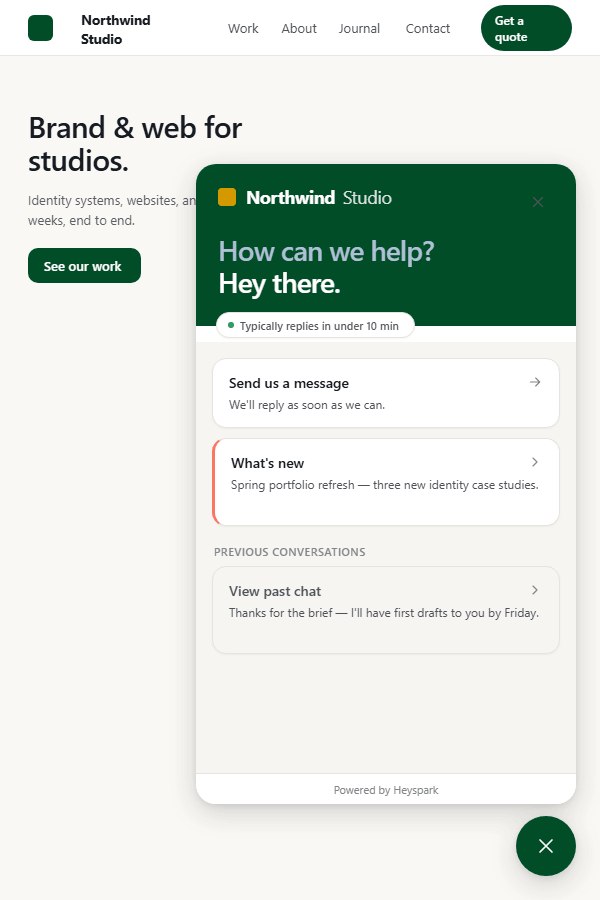
Upload your own logo to replace the HeySpark wordmark at the top of the widget. Then use the custom CSS field to go further. Override the built-in colours so the widget matches your brand exactly.
- Logo upload via the WordPress media library (PNG or SVG)
- Brand Colors
- Changes apply instantly - no cache to clear
Compare what's in each version.
| Feature | Free | Pro |
|---|---|---|
| Floating chat widget (Shadow DOM isolated) | ✓ | ✓ |
| Conversational inbox in WP-Admin | ✓ | ✓ |
| Real-time chat via long-polling | ✓ | ✓ |
| Online / Away toggle | ✓ | ✓ |
| Offline messages + email notifications | ✓ | ✓ |
| Visitor typing indicator | ✓ | ✓ |
| Voice calls | ✓ | ✓ |
| Agent-initiated chats | - | ✓ |
| Multiple agents (role-based) | - | ✓ |
| Quick responses (canned replies) | - | ✓ |
| Business hours + URL visibility rules | - | ✓ |
| Customer ratings (CSAT) | - | ✓ |
| Custom logo + widget CSS | - | ✓ |
| Email support | - | ✓ |
One-time payment. No subscriptions.
Pick the license that fits. Every tier includes all Pro features and email support.
3 Sites
Personal projects & small businesses
10 Sites
Freelancers & growing agencies
Unlimited Sites
Large agencies & unlimited scale
Frequently asked questions.
Will live chat slow down my site?
Where are my conversations stored?
Does this require a SaaS account or third-party signup?
Is this a subscription?
Do you offer refunds?
Looking for documentation?
Get started quickly with our comprehensive guides and tutorials.
View Documentation